There are no items in your cart
Add More
Add More
| Item Details | Price | ||
|---|---|---|---|

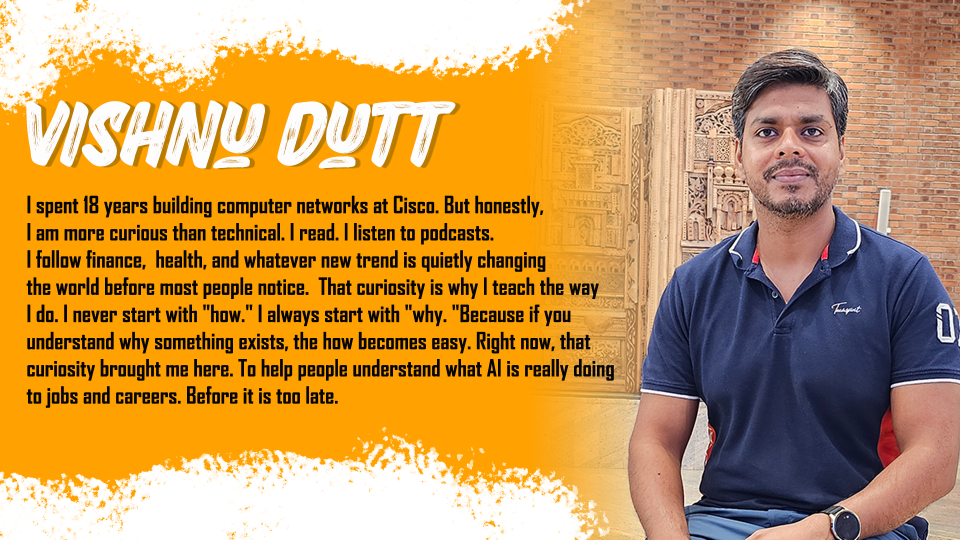
Created by - Vishnu Dutt
English and Hindi


Git for Network Engineers: Learn Git Version Control From Scratch
A Complete 7 Hour Git Course Designed for Network Engineers and Beginners
Why I Created This Course
18 years ago, when I was in my college final year, I made a decision. I told myself that I would become a network engineer because network engineers do not do programming. No code. Just routers and switches. Simple, right?
Well, the world had other plans.
Today, network engineers do not need to become developers. But they absolutely need to understand network automation. And here is the thing. Before you automate anything, before you write a single script, before you even think about tools like Ansible or Python, you need to organise your files properly. You need version control. That is where Git comes in.
Git is your first step. And this course is that step.
What Is Git and Why Does It Matter for Network Engineers
Git is a distributed version control system. It tracks every change you make to your files. It tells you what changed, when it changed, and who changed it. For a network engineer managing configuration files, automation scripts, and network documentation, Git is not optional anymore. Git is essential.
This course teaches you Git from scratch. It teaches you Git from a network engineer's perspective. You do not need any programming background. You do not need any prior knowledge of Git. You just need a computer and the willingness to learn.
What This Course Will Do For You
This is a 7 hour journey into Git, absolutely from scratch, from a network engineer's perspective. No shortcuts. Just Git fundamentals, explained clearly and honestly.
You will learn:
After this course, you will be genuinely comfortable with Git. And that is your first step into network automation and organising your work like a professional.
Who Should Take This Course
This course is for you if you are a fresher or an experienced network engineer and somewhere in your mind you have been thinking: maybe I should understand how scripts work. Maybe I should explore network automation. Maybe I should learn Git.
You do not need to know programming. You do not need any experience with version control systems. All you need is curiosity and a little patience with yourself.
This Git course is also for anyone who is completely new to Git and wants to learn from scratch in simple English. Whether you are a network engineer, a system administrator, or just someone curious about version control, this course is built for you.
How I Teach
I use a conversational style. I ask questions. I say right many times. I check whether you are following along. I repeat important concepts from different angles because repetition is how real understanding is built.
I use simple English. No complicated jargon. When I must use a technical term, I explain it simply first and then we move forward together.
I give examples from real networks. You will meet characters like Rahul and Anjali, who face real problems that real network engineers face. We solve those problems together.
I go slowly. If a concept is important, we spend time on it. We are not here to finish quickly. We are here to understand deeply.
What You Need to Get Started
That is it. Nothing else.
After This Course, You Will Be Able To
Your First Step Into Network Automation Starts Here
This is not just a course about Git. This is the beginning of your automation journey. Network engineers all over the world are using Git today to manage configuration files, version their Python and Ansible scripts, and work as a team without overwriting each other's work. You can do the same.
Git is the foundation. Everything else in network automation, whether it is Python scripting, Ansible playbooks, or infrastructure as code, sits on top of this foundation.
Every long journey begins with one confident first step.
Let us take it together.
Git is your foundation. Here is the complete learning path I recommend:
Step 1 - Start Here (FREE):
CCNA for Know-Nothing Learner (FREE): Perfect for beginners
Step 2 - This Course (Also Free)
Git for Network Engineers (7 Hours)
Step 3 - Next Step:
Network Automation from Scratch — Python, Ansible, Linux
Also Available at BridgeWhy:
Browse all courses available here
View pricing plans here
Lorem Ipsum is simply dummy text of the printing and typesetting industry. Lorem Ipsum has been the industry's standard dummy text ever since the 1500s,
Lorem Ipsum is simply dummy text of the printing and typesetting industry. Lorem Ipsum has been the industry's standard dummy text ever since the 1500s,
Lorem Ipsum is simply dummy text of the printing and typesetting industry. Lorem Ipsum has been the industry's standard dummy text ever since the 1500s,
Lorem Ipsum is simply dummy text of the printing and typesetting industry. Lorem Ipsum has been the industry's standard dummy text ever since the 1500s,
This course is all about learning Network Automation, absolutely from scratch. I have been talking to lot of Network Engineers and came to know that most of us have decided to come into networking industry so that we do not need to deal with programming. This is true for me also. But believe me, as the world and requirements are changing so rapidly, that we need to spend some time in learning programming also. One more thing, programming is easy and it is comparatively easy than learning some of the networking concepts like MPLS and BGP.
Here the aim is not to make you the full fledge programmer. The aim is to finish that fear of programming in you. We will start from learning fundamentals of Operating systems. We will take one language like Python and solve some of the real-world automation use cases.
Do I need any programming knowledge?
No. Absolutely not. I want to be very clear about this because many people hesitate because of this exact fear. Git is a version control tool. It is not a programming language. You do not write code in Git. You use Git to manage your files. Whether those files are Python scripts or network configurations or simple text files, Git does not care. It just tracks changes. So if you have zero programming knowledge, you are completely fine to start this course right now. I was afraid of programming myself once. I understand that feeling. Do not let it stop you here.
Do I need to know networking first?
You should have basic networking knowledge. You should know what routers and switches are. You should have some idea of what network configuration files look like. But you do not need to be an expert. If you just finished CCNA, you are ready. If you are an experienced network engineer, you are definitely ready. If you are completely new to networking, start with my free CCNA for Know-Nothing Learner. Come back after that and this Git course will make much more sense.
I tried Git before and got confused. Will this course be different?
Yes. And I will tell you exactly why. Most Git resources are written by developers for developers. They assume you already know what version control is. They jump straight into commands without explaining why those commands exist. My approach is completely different. I start with the history of Git. I explain what Linus Torvalds was solving in 2005. I build the mental model first, then we touch the commands. When you understand the why, the commands make sense. Many of my students who tried Git before and gave up came back to this course and finally understood. Believe me, this time will be different.
How much time do I need per day?
The course is 7 hours total across 5 classes. If you can give one to two hours per day, you can finish in one week. But there is no rush. The course does not expire. Some of my students finish in three days because they have extra time. Others take three weeks because of busy work schedules. Both are fine. What matters is that you understand, not how fast you finish. I do recommend you practice after each class though. Watching is not enough. Doing the lab yourself, making mistakes, and fixing them - that is where real learning happens.
What computer do I need?
Any computer will work. Windows, Mac, or Linux. All three are fine. Git is available on all platforms. GitHub works in any browser. You do not need a powerful machine. Even a laptop with 4GB RAM made in the last eight years will work perfectly. Git is a very lightweight tool. You just need a stable internet connection to download Git and access GitHub. Do not let your computer be an excuse. Whatever you have is enough.
What exactly is covered in the 5 classes?
Class 1 covers why Git was created and its history - we build the full mental model before any commands. Class 2 is about tracking changes, commits, and how Git stores information. Class 3 covers the different parts of Git and the difference between Git and GitHub. Class 4 is all about branches and merging, including how to handle merge conflicts. Class 5 brings everything together with GitHub remote repositories and a complete practical hands-on Git project. By the end of Class 5, you have a complete Git workflow that you can use at your actual job immediately.
Is there a practical project?
Yes. In Class 5, we do a complete hands-on Git project from start to finish. Not just individual commands in isolation. A real project scenario. We create a repository, make meaningful commits, create branches to work on different features, merge those branches, and push to GitHub. This project ties together everything from the first four classes. Many students tell me this project is where Git finally clicked for them. Theory makes sense, but until you do it yourself with a real use case, it does not stick. This project makes it stick.
How is this different from YouTube videos on Git?
YouTube videos are usually 10 to 20 minutes long. They show you commands. They do not explain why. This course is 7 hours of structured, organised, progressive learning. Each class builds on the previous one. The why always comes before the how. You have curriculum, progression, community support, and a certificate at the end. Also, I am always available in the course community if you have questions. YouTube does not have that.
Will I get a certificate?
Yes. After completing all 5 classes, you receive a course completion certificate from BridgeWhy. You can download it as a PDF and share it on LinkedIn with one click. Having a certificate from an instructor with 11,000 students across 110 countries adds real value to your profile. It shows employers and recruiters that you have taken your skills seriously and invested in learning the right tools.
Does this course cover GitHub?
Yes. We cover GitHub in detail in Class 5. But I want to be clear about something important first. Git and GitHub are not the same thing. Git is the tool. GitHub is a website that hosts Git repositories. We start with Git because that is the foundation. Then we move to GitHub because that is where teams collaborate. We cover creating remote repositories on GitHub, pushing local work to it, cloning, fetching, and pulling changes. By the end of Class 5, you will be comfortable using both Git and GitHub together.
Is there community or support if I get stuck?
Yes. Every BridgeWhy course comes with access to the course community. If you have a question, you can ask it in the community chat and I personally try to answer. Other students also help each other. You will find students from all over the world - from India to USA to UK to UAE to Australia. Different time zones, different companies, but the same goal. You will never feel alone in this course.
What if I already know some Git basics? Is this too basic?
If you know git init, git add, git commit, and git push without thinking, this course might be too basic for you. But if you know the commands but do not really understand why they work the way they do, this course will fill those gaps. Many students who know basic Git commands take this course and tell me they finally understood things they were doing mechanically for years. But if you are already advanced with Git and use rebasing and complex workflows daily, this course is not for you.
Do I need to practice or can I just watch?
You need to practice. Watching is not learning. When you watch someone ride a bicycle, you do not learn to ride a bicycle. You need to sit on the bicycle. Same with Git. You need to open your terminal, type the commands, see what happens, make mistakes, figure out what went wrong, and fix it. This course has clear labs and practice exercises. I show you exactly what to do. You follow along on your own machine. By the time you finish, you have not just watched Git. You have used Git.
How long is course access?
Access duration depends on your plan. Check our Plans Page current options. If you want unlimited access to this course and all other BridgeWhy courses, check our Lifetime Access. With Lifetime Access, you pay once and learn everything, including all future courses.
Can I watch on my phone?
Yes. The BridgeWhy platform works on mobile phones, tablets, and computers. I do recommend doing practical labs on a laptop or desktop because you need to type commands in a terminal. But for watching theory and explanation videos, your phone works perfectly fine.
Is this course available in Hindi?
Yes. This course is available in both Hindi and English. The Hindi version has the same content, same depth, same examples, same labs. Nothing is missing. Many of my students from India prefer Hindi because technical concepts feel more natural in their first language. If your English is strong, the English version is great. If you are more comfortable in Hindi, go for Hindi. The learning outcome is exactly the same.
My English is not very strong. Can I follow the English course?
Yes. I use simple English. Very simple. No complicated words. No technical jargon without explanation. Short sentences. Natural conversation. I speak the way a friend explains something to another friend. If your English is at a basic conversational level, you will follow this course without problems. But if English feels stressful, just take the Hindi version. There is no shame in learning in your own language. In fact, learning in your mother tongue often helps you understand more deeply.
Will more languages be added?
Right now, the course is available in Hindi and English. If there is strong demand from students, I will consider more languages in the future. If you want to request a specific language, please reach out at contact-us. I read every message personally.
Will knowing Git help me get a job?
Yes. Directly. Every team working on network automation uses Git. Every company hiring for network automation, DevNet, or NetDevOps roles expects you to know Git. It is not optional anymore. In job descriptions for automation roles, Git is listed as a required skill. After this course, you will be able to put Git on your resume honestly. Not just as a buzzword. You will know it properly and be able to talk about it confidently in any interview.
I already have a job.
How will Git help me now? Even without moving into automation, Git helps you today. Do you manage any configuration files? Any documentation? Any scripts? Git helps you track all of that. If something breaks, you can see what changed and when. If you want to try a change but are not sure about it, create a branch, experiment, and if it works, merge it. If it does not work, delete the branch. Nothing was lost. Git makes you a more careful, more organised, more professional engineer. Your manager will notice.
What should I learn after this Git course?
After Git, your natural next step is Network Automation from Scratch. That is my 47-hour course covering Linux, Python, Ansible, RESTCONF, and NETCONF. Specifically built for network engineers, just like this Git course. Git is the foundation. Automation is what you build on top of that foundation. After automation, you can explore SD-Access, VXLAN and BGP-EVPN, or campus network design. All available at Store. Build solid foundations first. Advanced topics become easy when foundations are strong.
Is there a free preview?
Yes. I give you 1.5 hours of this course completely free. No credit card required. No commitment. Just click on the free preview and watch. I am confident in this course and I want you to experience my teaching style before you decide. Most people who watch the free preview enroll in the full course because they can feel that this is different from other courses they have tried. But even if you do not enroll, you will learn something valuable from those 1.5 hours. That is my promise.