Contact us

Cisco ACI Training from Scratch | 18 Hours | Labs in Hindi and English | BridgeWhy

Created by

  • English and Hindi

About the course

ACI from Scratch is a LIVE course which will start on 12th of October 2026. This course is 18 hours long which includes live classes and hands-on labs. Below are the timings:

ACI English Live Course: Monday, Wednesday and Thursday at 9 PM IST

ACI Hindi Live Course: Monday, Wednesday and Thursday at 7:30 PM IST

This package includes: ACI Live Classes, Hands-On Classes, Switching from Scratch recorded videos and VXLAN with BGP EVPN recorded videos. 


Ask an experienced engineer to describe an ACI fabric and you often get a strange answer. 

They can list the objects. They can click through the screens. But if you ask why a bridge domain is not a VLAN, or why connecting one server needs six objects instead of one command, the room goes quiet. That silence is the real problem this course solves.


ACI from Scratch is an 18 hour course that teaches Cisco ACI the way it was actually designed, starting with the problem and ending with the product. Before you see a single screen of the APIC, you will understand what was so painful in the old data center that Cisco decided to build a whole new operating model. Configuration lived inside every box, so one new server touched many switches. Security was written in IP addresses, so nobody could ever safely delete an access list line, because nobody knew who was living behind that address any more. ACI is the answer to those two pains. Once you see the pain, the answer stops looking strange.

This package gives you the course in both Hindi and English for one price. The two versions are complete and independent. You may watch a lesson in Hindi, then watch the same lesson in English before an interview so that the vocabulary settles in the language your interviewer will use. Many learners do exactly this, and it is the reason the package exists.

How the course is taught

Every lesson opens with a why question and refuses to move forward until that question is answered. Why does an ACI fabric need no underlay configuration from you? Why did Cisco throw away permit by default? Why is an endpoint group not the same thing as a subnet? Only after the reason is clear does the configuration appear. This is the Why First Method used across all BridgeWhy courses, and in ACI it matters more than anywhere else, because ACI changes the meaning of words you already thought you understood.

The teaching uses whiteboarding and analogies rather than slide after slide of screenshots. You will see the fabric drawn, erased and drawn again until the picture lives in your head. Screenshots age badly. A clear mental model does not.

Then comes the proof. Every concept is demonstrated on real hardware, not on a simulator. The demonstrations were recorded on a live pod with Nexus 9000 leaf and spine switches, a physical APIC controller, an ESXi host for the servers, and a Catalyst switch standing in for the outside world. You watch the fabric boot from nothing and register its own nodes. You watch two endpoint groups sit inside one bridge domain and refuse to talk to each other. You watch a contract go in and traffic start moving, then you go and find the rule programmed on the leaf. You watch an endpoint appear as local on one leaf and remote on the other, and then you watch it move.

What you will be able to do at the end

You will be able to open an unfamiliar ACI fabric and read it. You will know where the objects live, how to find the same object three different ways, and how to follow a fault down to its root cause instead of guessing. You will be able to explain why the fabric in front of you runs one bridge domain to one endpoint group to one VLAN, why that pattern is called network centric, and why it is a sensible choice rather than a failure. You will be able to put a server on a vPC pair and know exactly which object to check when the VLAN refuses to appear. You will be able to take one broken server and work through it in a fixed order instead of restarting things and hoping.

Who this course is for

This course was built for engineers with roughly three to fifteen years of experience who have never touched ACI, and who are tired of courses that start at screen one of the GUI. If you are comfortable with switching, VLANs and basic routing, you are ready. If you would like to strengthen that base first, start with Switching Fundamentals. If you are completely new to networking, begin with CCNA for the Know Nothing Learner in English or  Be Job Ready in Computer Networking in Hindi.

If you already know VXLAN with BGP-EVPN, this course will feel like a conversation rather than a lecture, because it constantly sets ACI against the fabric you already understand.

What you will learn

Lesson 1: Data Center Network Evolution and the Why Behind ACI
Before ACI can make sense, the pain it answers has to be felt. This lesson walks through the box by box data center, where one new server touched many switches and every device held its own private truth, and where security lived inside IP addresses that nobody dared to remove. You then meet the two design bets Cisco placed: treat the entire fabric as one machine with one declarative object model, and separate grouping from subnet and VLAN. The lesson closes with an honest look at where ACI sits today next to VXLAN with BGP-EVPN, so you never have to guess about that question again.

Lesson 2: The ACI Fabric and How It Builds Itself
Why does an ACI fabric need no underlay configuration from you? You meet leaf, spine and controller, and learn what each one is truly responsible for. Then you follow the bootstrap: LLDP discovery, DHCP addressing from the TEP pool, node registration, and the hidden infrastructure VRF with IS-IS running inside it. The most important idea in this lesson is that the controller is a policy and management brain that never sits in the data path, which is why the fabric keeps forwarding traffic even when every controller is down.

Lesson 3: Packet Walk in the VXLAN Fabric
You may already know VXLAN with BGP-EVPN. This lesson asks what Cisco changed and why. You look inside the ACI VXLAN header and find two extra passengers: the group identifier of the source and the bit that records whether policy has already been applied. You then compare COOP on the spine against EVPN route type two, see what spine proxy does with an unknown destination, and learn how BUM traffic moves through FTAG trees without any spanning tree inside the fabric.

Lesson 4: How to Read the Fabric
If everything in ACI is an object, the only real skill is knowing where the objects live. This lesson opens the management information tree and teaches distinguished names and class names, so that a name itself tells you the parent. You then learn three doors into the same room: Visore, moquery and the API Inspector. Faults, health scores and audit logs turn out to be more objects in the same tree, which is why you can troubleshoot them the same way you read anything else.

Lesson 5: Tenant, VRF and Bridge Domain
Why is a bridge domain not simply a VLAN? A tenant is an administrative boundary rather than a customer, whatever the word suggests. A VRF here is close to the VRF you already run, with one or two surprises. A bridge domain is a flood domain with knobs, free from the four thousand VLAN limit, and the subnet under it is where the gateway will eventually live. This lesson is where the network half of ACI becomes clear and deliberately separate from the policy half.

Lesson 6: Endpoint Groups and Application Profiles
An endpoint group is a set of endpoints that share a policy, not a set of endpoints that share an address range. That single sentence is the heart of ACI, and this lesson proves it by placing many endpoint groups inside one bridge domain. You also learn why the application profile is closer to documentation than to function. The lesson ends with the production truth that saves careers: most real fabrics run one bridge domain to one endpoint group to one VLAN, a pattern called network centric, and that is a sensible choice rather than a failure.

Lesson 7: The Why Behind Contracts
Why did Cisco throw away permit by default? You learn what whitelist thinking really costs you on an ordinary working day, and why a contract has three layers, filter, subject and contract, instead of one. Provider and consumer are taught with a simple test for deciding which side is which, and reverse filter ports are explained slowly, because this is where the first genuine confusion of the course appears. The lesson closes with the shortcuts every production fabric uses, including preferred groups and vzAny, so you understand why some traffic passes with no contract in sight.

Lesson 8: Access Policies, Part One, Why They Exist
Why does connecting one server need a chain of six objects instead of a single command? The answer is that two different teams speak two different languages. The fabric team describes what a port is. The tenant team describes who sits on it. Neither one has to wait for the other. In this lesson you draw the chain from both ends and meet in the middle: VLAN pool, domain, attachable entity profile, interface policy group, interface profile and switch profile. Nothing is configured here. The shape of the idea is the whole point.

Lesson 9: Access Policies, Part Two, Putting a Server on the Fabric
Now the chain gets built in the real order, from pool to port, and a physical server arrives on the fabric. You learn static path binding under the endpoint group and the three tagging modes that go with it. You then bring a dual attached host up on a vPC pair across two leaves and see why that pair looks like one device to the server. Finally you learn what resolution and deployment actually mean, which is the answer to the most common complaint in ACI: the VLAN refuses to appear.

Lesson 10: How the Fabric Learns Endpoints
How does a leaf know about a server that is not connected to it? You learn why every leaf keeps both local and remote endpoints, and then you meet the pervasive gateway, where the same gateway address and the same MAC address live on every leaf at once. That one idea ends the default gateway conversation forever. You also learn hardware proxy against flooding for unknown unicast, and exactly what the ARP flooding knob and the unicast routing knob control, so that you stop changing them by trial and error.

Lesson 11: Where Policy Is Enforced and How to Troubleshoot One Endpoint
If the rule exists on every leaf, which leaf actually drops the packet? The answer ties straight back to the bit you met in Lesson 3: enforcement happens on the ingress leaf when the destination group is known, and on the egress leaf when it is not. You then look at endpoint moves and what the fabric does when it sees the same endpoint in two places. The lesson ends with a complete troubleshooting walk on one broken server, in a fixed order you can follow at two in the morning.

Lesson 12: Getting In and Out of the Fabric
The fabric is a closed world, so how does the outside get in? You learn the Layer 3 Out as a concept along with its interface flavours, and you meet the external endpoint group, which exists because the outside world also has to become a group before any contract can touch it. Contracts towards the outside and the role of the border leaf follow naturally. The lesson finishes with route leaking between VRFs in its simplest shared services form, and a short map of what to study next.


Know your instructor


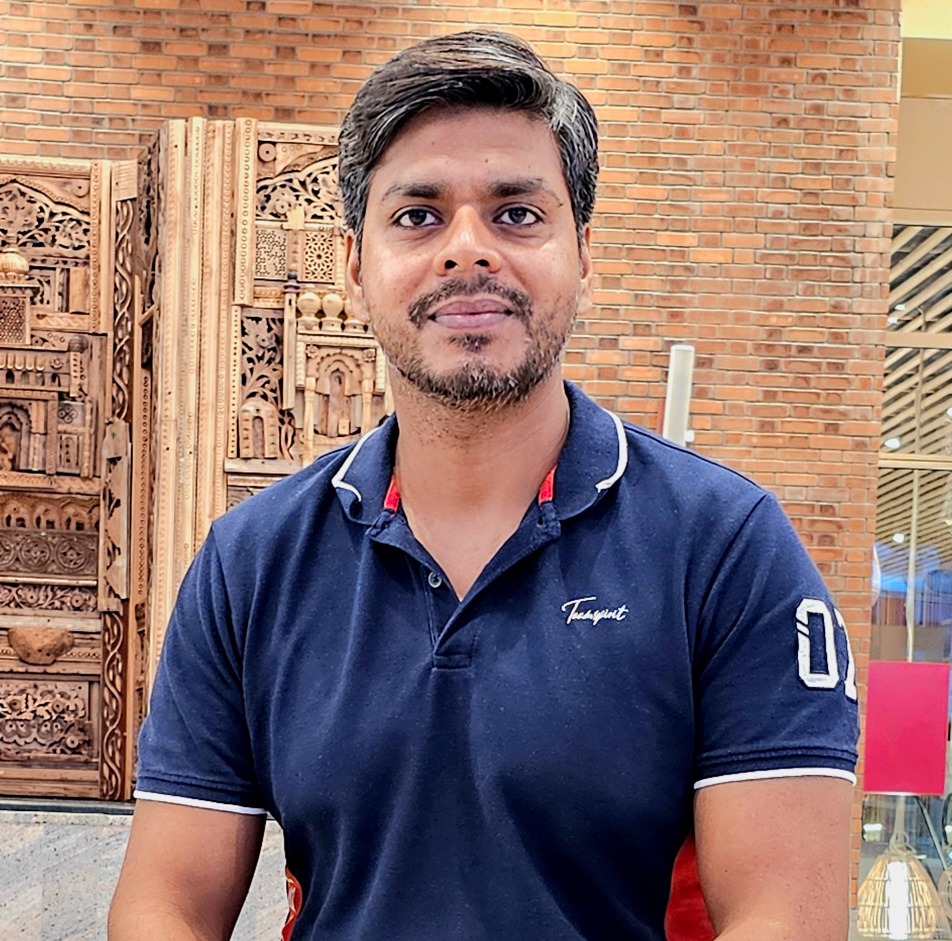
Instructor Image
Instructor

Vishnu Dutt

Network Instructor

I spent 18 years building computer networks at Cisco. But honestly, I am more curious than technical. I read. I listen to podcasts. I follow finance, health, and whatever new trend is quietly changing the world before most people notice. That curiosity is why I teach the way I do. I never start with "how." I always start with "why." Because if you understand why something exists, the how becomes easy. Right now, that curiosity brought me here. To help people understand what AI is really doing to jobs and careers. Before it is too late.

View Profile

Frequently asked Questions


What exactly does this course cover?

Twelve concept lessons take you from the reason ACI was invented to a working Layer 3 Out. Along the way you cover fabric discovery, VXLAN forwarding inside ACI, the object model, tenants, VRFs, bridge domains, endpoint groups, contracts, access policies, endpoint learning, policy enforcement and troubleshooting.


Is this a beginner course or an advanced course?

It begins at zero ACI knowledge and ends at the level where you can support a production fabric. It is not an expert level design course, and it does not pretend to be one.

How is this different from other ACI courses?

Most ACI courses start with the GUI and show you where to click. This course starts with the problem Cisco was trying to solve and lets the design explain itself. Every lesson opens with a why question.

Does the course cover network centric and application centric designs?

Yes, in Lesson 6. You learn why most production fabrics are network centric, and why that is a reasonable engineering decision rather than a mistake.

Does the course compare ACI with VXLAN using BGP-EVPN?

Yes, repeatedly. Lesson 3 sets COOP against route type two and spine proxy against flood and learn, so you always know which fabric solves which problem.

How long is the course in total?

Eighteen hours, split into 12 concept lessons with demonstrations attached.

What do I need to know before starting?

Switching, VLANs, trunking and basic IP routing. If any of that feels shaky, take the Switching Fundamentals course first.

I have never worked in a data center. Can I still take this course?

Yes. Data center experience helps, but the course builds the context from the first lesson. What you cannot skip is switching.

Do I need to know VXLAN before I start?

No. VXLAN is explained inside the course. If you already know it, Lesson 3 becomes a comparison instead of an introduction.

Do I need programming or automation skills?

No. You will see the API Inspector and moquery, but no coding is required. The course stays on concepts and the GUI, with the command line used only for reading the fabric.

Which languages does this package include?

Both Hindi and English, complete, for one price.

Can I switch between the two languages?

Yes. Many learners study a difficult lesson in Hindi first and then watch the English version to fix the vocabulary before an interview.

Are the two versions the same course?

The lessons and the demonstrations match. The explanations are delivered naturally in each language rather than translated word for word.

I only want one language. What should I do?

You may buy the single language version, although the package is usually the better value, because most learners end up wanting both.

Are the demonstrations on a simulator?

No. They were recorded on real hardware: Nexus 9000 leaf and spine switches, a physical APIC controller, an ESXi host and a Catalyst switch for outside connectivity.

Do I need my own lab to follow along?

No. You can learn the full course by watching. If you have access to a fabric at work or a rented pod, the lessons will map directly onto it.

What can I actually see happening in the demonstrations?

The fabric coming up from zero, node registration, the endpoint database on the spine and the leaf, two endpoint groups refusing to talk, a contract making traffic flow, the full access policy chain being built, a vPC host coming up, an endpoint moving between leaves, and a Layer 3 Out bringing external routes in.

Do I get a certificate?

Yes. BridgeWhy issues a completion certificate when you finish.

Will this help with a Cisco data center certification?

The concepts map closely onto the ACI portion of the Cisco data center track. This course is not an exam dump and does not claim to replace official exam preparation, but it gives you the understanding those exams are testing.

Will this help me in interviews?

Yes. Lessons 3, 6, 10 and 11 cover the questions interviewers actually ask, such as how endpoints are learned and where policy is enforced. For broader practice, see the Interview Preparation Series.

How long do I keep access?

That depends on the plan you choose. BridgeWhy offers 3 Month Access, 1 Year Access and Lifetime Access.

Can my company buy this for a team?

Yes. Team and bulk options are listed in the BridgeWhy store.

Who teaches this course?

Vishnu Dutt, with 19+ years at Cisco and 15000+ learners across 100+ countries.

Why is the teaching style described as why first?

Because if you can understand the mind of the person who built the concept, the concept becomes easy to remember. Configuration learned without a reason is forgotten within weeks.

What should I study after this course?

VXLAN with BGP-EVPN to see the other major fabric design, SD-WAN from Scratch to carry the policy idea into the WAN, and AI for Network Engineers for where the industry is heading.

Enroll Now