There are no items in your cart
Add More
Add More
| Item Details | Price | ||
|---|---|---|---|

Created by - Vishnu Dutt
English and Hindi


Service providers stretched IPv4 with NAT, with carrier grade NAT, and with private address reuse. None of these tricks solved the real problem. The world needed a new addressing system designed for tens of billions of devices, with no broadcast traffic, with autoconfiguration built into the protocol, and with security and routing thought through from day one. That new system is IPv6. Every modern network engineer is expected to read an IPv6 address, configure IPv6 on an interface, run OSPFv3, exchange IPv6 routes through BGP, and explain how an IPv4 only host can still talk to an IPv6 only server. This course teaches you all of that, from the very first byte, in plain language.
The Hindi version uses Hinglish explanations with Devanagari notes on the whiteboard. The English version uses clear international English. Both versions cover the same 8 lessons in the same order, and both are recorded on the same EVE-NG topology. You decide which language helps you absorb the concept better on a given day. Many learners watch the English version first for the technical terms and then the Hindi version for the deeper why explanations, or the other way around. The choice is yours, and you do not pay twice for it.
with 19+ years of experience at Cisco, and 15000+ learners trained across 100+ countries. The teaching style stays the same across every BridgeWhy course. Open the whiteboard. Ask why this technology exists. Walk through the problem it solves. Draw the topology. Configure the routers in EVE-NG. Verify the output. Break the configuration on purpose. Fix it again. By the end of every lesson, you do not just know the commands. You know why those commands exist and what happens inside the router when you press enter.
Because IPv6 is not a small upgrade. The header is different. ARP does not exist anymore. Broadcast does not exist anymore. Address assignment uses a process the IPv4 world never had. Routing protocols carry IPv6 prefixes in a different way. A learner who skims IPv6 in two hours during CCNA preparation will fail the first real interview question about Neighbor Discovery. A learner who studies IPv6 properly, from addressing rules to routing protocol behavior to transition mechanisms, will sound confident in any data center or service provider interview.
If you do not, the right starting point is Routing Fundamentals and Switching Fundamentals. If you are completely new to networking, start with CCNA for Know Nothing Learner in English or Be Job Ready in Computer Networking in Hindi.
Two devices on the same link must never end up with the same address. Duplicate Address Detection is the IPv6 mechanism that prevents this, and it runs before any new address goes into use. This lesson explains DAD step by step, then dissects the IPv6 header field by field, comparing it with the IPv4 header so you see exactly what was removed, what was added, and why.
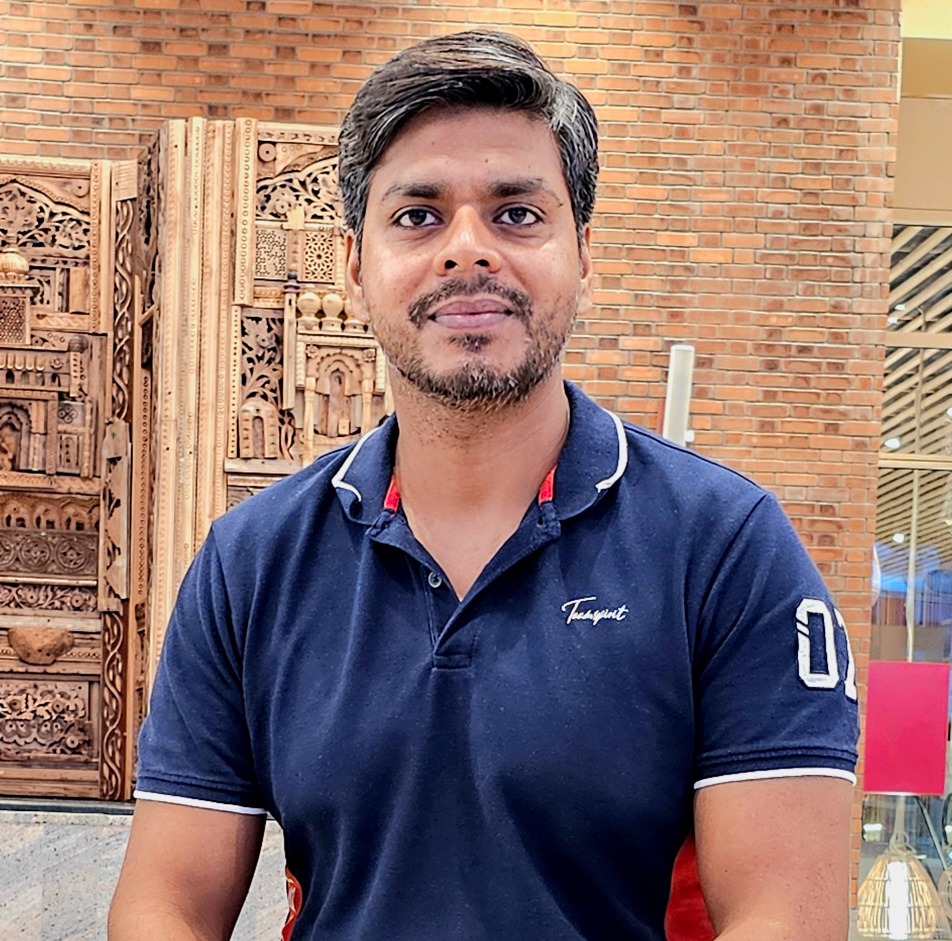
Here is know your instructor "I spent 18 years building computer networks at Cisco. But honestly, I am more curious than technical. I read. I listen to podcasts. I follow finance, health, and whatever new trend is quietly changing the world before most people notice. That curiosity is why I teach the way I do. I never start with "how." I always start with "why." Because if you understand why something exists, the how becomes easy. Right now, that curiosity brought me here. To help people understand what AI is really doing to jobs and careers. Before it is too late."
View ProfileWhat does this IPv6 course cover?
The course covers IPv6 from the very first address byte to advanced topics like OSPFv3, BGP address families, Dual Stack and NAT64. The full lesson list above shows every topic in course order.
Is this course truly from scratch?
Yes. Lesson 1 starts with why IPv6 was invented and how to read an IPv6 address. You do not need any prior IPv6 knowledge. You only need basic IPv4 and routing fundamentals.
Does the course cover IPv6 subnetting?
Yes. Lessons 1, 2 and 3 cover IPv6 addressing, prefix planning and the role of Global Unicast and Link Local addresses, which together form the foundation of IPv6 subnetting in real networks.
Does the course cover SLAAC and DHCPv6?
Yes. SLAAC, the autoconfiguration mechanism that uses Router Advertisement messages, is explained inside the Neighbor Discovery and address distribution lessons. DHCPv6 is introduced as the alternative when stateful assignment is required.
Is OSPFv3 covered for IPv6 routing?
Yes. Lesson 6 is dedicated to OSPFv3. You will see why OSPFv3 was created, how it uses link local addresses, what changed in the LSA types, and how the routers form adjacency on the EVE-NG lab.
What should I know before starting this course?
You need IPv4 addressing and basic routing knowledge. If you do not have that yet, complete Routing Fundamentals before this course.
Do I need to know IPv4 before learning IPv6?
Yes. IPv6 is best understood as a redesign of IPv4 that fixes its problems. Comparing the two protocols is a core teaching technique used throughout the course.
Is this course suitable for complete beginners in networking?
Not directly. A complete beginner should first complete CCNA for Know Nothing Learner or Be Job Ready in Computer Networking, and then return to IPv6.
The course is available in Hindi and English. Which one will I get?
You get both. The package includes the full Hindi version and the full English version. You choose which one to watch for each lesson.
Are the Hindi and English versions identical in content?
Yes. Both versions cover the same 8 lessons in the same order on the same EVE-NG topology. The difference is only the spoken language and the script used on the whiteboard.
Why both languages in one package?
Many Indian learners think faster in Hindi but need English vocabulary for interviews. Bundling both lets you switch as needed without paying twice.
Will this course help me pass CCNA or CCNP exams?
Yes. IPv6 addressing, Neighbor Discovery, OSPFv3 and BGP IPv6 address family appear in both CCNA and CCNP blueprints. This course covers all of them in lab depth.
Do I get a certificate after completing the course?
Yes. You receive a BridgeWhy completion certificate that records your name, the course title and the completion date.
Is the certificate recognized by employers?
The certificate confirms that you completed the course. It is most useful when combined with strong interview answers and the lab confidence you gain from the course itself.
Will this course prepare me for IPv6 interview questions?
Yes. The why first style trains you to explain concepts in your own words, which is exactly what interviewers test. For dedicated interview drills, follow with Interview Preparation Series.
What IPv6 topics are commonly asked in interviews?
Address types, the difference between SLAAC and DHCPv6, the four Neighbor Discovery messages, Duplicate Address Detection, OSPFv3 versus OSPFv2, BGP IPv6 address family, Dual Stack, NAT64. All of these are covered in this course.
Do I need to install anything to follow the labs?
No. To watch the course, you only need a browser. To practice the labs yourself, you would install EVE-NG separately on your own machine or a cloud server.
How long will I have access to the course?
Access depends on the plan you pick. The 3 Month Access plan gives 90 days. The 1 Year Access plan gives 365 days. The Lifetime Access plan keeps the content available permanently.
Can I watch the videos on my mobile phone?
Yes. The BridgeWhy platform plays on any modern phone browser, so you can study during travel or breaks.
Can I download videos for offline viewing?
Downloads are not available. The videos stream from the platform, which protects the content from unauthorized copying.
Who is the instructor?
Vishnu Dutt, with 19+ years of experience at Cisco, and 15000+ learners trained across 100+ countries. More about the journey is available on About Us.
Can I ask questions if I get stuck?
Yes. Use the platform discussion feature for any lesson, and the instructor team will respond.
What course should I take after IPv6?
SD-WAN from Scratch is the recommended next step. You may also continue with BGP from Scratch, MPLS from Scratch or VXLAN with BGP-EVPN.