Contact us

Wireless Networking Course in English | 13 Hours | 802.11 WLC 9800 CAPWAP WPA2 | BridgeWhy

Created by Vishnu Dutt

  • English

About the course

This is the English edition of the Wireless Networking from Scratch course on BridgeWhy.

It runs for about 13 hours across 14 lessons and covers the full ladder from radio waves to WLC 9800 configuration. The English version is meant for learners who prefer English throughout, or who are targeting global certifications and roles where English fluency in wireless vocabulary is expected.


The course is built on a single principle. 

Wireless cannot be taught by starting at the top with commands. It must be taught from the bottom, from the physics. If you do not understand what a radio wave is, you cannot understand why one channel plan is better than another. If you do not understand what dB really measures, you cannot read a wireless site survey. So the first block of this course is dedicated to RF fundamentals, and every later block builds on top of it.


The lessons follow a strict why first structure. 

Each topic opens with the problem that led to the solution. When you learn CAPWAP, you first see the problem of managing thousands of access points remotely. When you learn 802.1X, you first see the problem of trusting who is on your air. When you learn Tags and Profiles, you first see the problem of scaling policy across a large campus. This is how technology was actually built, and this is how it should be taught.


The instructor is Vishnu Dutt. 

He worked for 19+ years at Cisco on the same technologies he now teaches. BridgeWhy is home to 15000+ learners across 100+ countries. The English edition is popular with learners preparing for CCNA, CCNP Enterprise wireless and international interview panels.


The course covers RF fundamentals in the first block, 

encoding and modulation in the second, service sets and the 802.11 frame in the third, Cisco wireless architecture and controllers in the fourth, and enterprise security with the modern policy model in the fifth. Every lesson uses whiteboarding and analogies. The labs use EVE-NG and real access point hardware, so nothing stays purely theoretical.


If you are new to networking, take Switching Fundamentals and Routing Fundamentals in parallel. If your goal is full certification readiness, the CCNA path pairs perfectly with this course. For deeper routing and enterprise topics after wireless, the recommended next steps are OSPF from Scratch, BGP from Scratch and VXLAN with BGP-EVPN.

If you want both Hindi and English together, the Package is the recommended purchase. Choose your access plan and start today.

What you will  learn

Lesson 1: Wireless Medium and EM Waves
Wired networks push electrons through copper. Wireless has no copper. So how does data actually travel through empty air? This lesson opens with that exact question and answers it with electromagnetic waves. You will learn what an electromagnetic wave is, how it is produced, and what it means for the wave to be a carrier of information. This is the physical foundation for everything that follows in the course. You will also learn why wireless is a shared medium by nature, and why that single fact drives most of the design decisions in 802.11.

Lesson 2: RF Characteristics
Once you accept that data rides on radio waves, the next question is what makes one wave different from another. This lesson introduces the four core properties of any radio frequency signal, namely frequency, wavelength, amplitude and phase. You will learn how these four properties are related to each other, why higher frequency signals travel shorter distances than lower frequency signals of the same power, and how these properties directly shape the data rates achievable in 2.4 GHz and 5 GHz bands. You will also see how these characteristics are drawn and measured in practice.

Lesson 3: RF Behavior and Communication
Radio waves do not travel in the clean straight lines that light does inside a fiber. In real environments they reflect, refract, diffract, scatter and get absorbed. This lesson names each of these behaviors, shows you a visual for what causes them, and connects them to real complaints such as poor signal near the microwave in the office kitchen. By the end you will read wireless survey reports without confusion.

Lesson 4: Measuring RF (dB, dBi and dBm)
Wireless signal strength varies over a huge range. A signal at the transmitter can be a million times stronger than the same signal at the far edge of coverage. Linear numbers become clumsy at these ranges. Decibels compress this range into readable numbers. This lesson explains dB, dBi and dBm from first principles. You will learn how to add and subtract in decibel space, what a 3 dB change means physically, and how to read a site survey report as an engineer.

Lesson 5: Antenna Pattern and Coverage
An antenna is not a magical box that spreads signal equally in all directions. It focuses energy in a particular shape. Omni antennas, patch antennas and directional antennas each have a different radiation pattern. In this lesson you will learn how to read a polar radiation plot, what the main lobe and side lobes mean, and how to select an antenna type for warehouses, offices, stadiums and outdoor point to point links.

Lesson 6: Encoding, Modulation and Our Lab
Bits are digital and radio waves are analog. Between them lies modulation. This lesson explains why modulation is necessary, walks through the classic modulation techniques used in wireless, and shows how each choice affects your data rate and reliability. You will also see how encoding techniques prepare bits before modulation so that a receiver can recover them in the presence of noise. The lab in this lesson demonstrates modulation on a live signal so the theory becomes visible.

Lesson 7: Channels, Spread Spectrum and CSMA
Air is shared. To let many devices talk on the same medium without constant collision, the industry solved three separate problems. Channels divide the spectrum into slots. Spread spectrum makes each signal more resilient to interference. CSMA gives devices a way to listen before they transmit. In this lesson you will learn all three techniques and see why 2.4 GHz has only three usable channels while 5 GHz has many.

Lesson 8: Service Sets and Overall Picture
Every 802.11 network is described in terms of service sets. BSS is a single access point with its clients. ESS is a family of BSS units under one SSID that a client can roam between. IBSS is an ad hoc network with no access point. This lesson locks these terms down and then zooms out to show you the full overall picture of a wireless network. By the end you will have a mental map that ties every earlier concept together.

Lesson 9: Wireless Frame (802.11)
Ethernet has one simple frame format. 802.11 has three broad categories, namely management frames, control frames and data frames. Each of these categories exists because the wireless medium demands more coordination than a wired one. Management frames handle joining and leaving. Control frames handle traffic timing. Data frames carry your actual payload. In this lesson you will study the header fields, the address model with up to four MAC addresses, and how to read a 802.11 capture as an engineer.

Lesson 10: Cisco Wireless Architecture
Wireless deployments evolved. First came autonomous access points, where each unit was configured directly. Then came the split MAC model, where the access point handles the fast radio work and the controller handles the slow management work. Modern Cisco wireless is a controller based architecture built around WLC 9800. This lesson takes you through that evolution and explains why each stage existed and what problem it solved.

Lesson 11: WLC 9800 and its Discovery
A wireless controller is only useful if the access points can find it. Discovery is the process by which a factory fresh access point locates its controller. It uses DHCP option 43, DNS lookups, broadcast and multicast in sequence. This lesson explains each discovery method from the first packet to the point where the access point registers with the WLC 9800. You will also learn how to diagnose a stuck discovery, which is one of the most common real world wireless problems.

Lesson 12: CAPWAP Tunnel in Detail
Once discovery succeeds, the access point and the controller build a CAPWAP tunnel. CAPWAP has a control channel and a data channel. The control channel carries commands and telemetry. The data channel carries client traffic. This lesson opens the tunnel completely. You will learn the encryption model, the ports involved, how it survives NAT devices and firewalls, and how to troubleshoot a CAPWAP that will not stay up.

Lesson 13: Wireless Security (802.1X, WPA2)
Air is a broadcast medium, which means an attacker with a laptop can passively receive your traffic. Wireless security exists to make that traffic useless to anyone who does not have the right credentials. 802.1X is the identity layer, based on EAP methods and a RADIUS server. WPA2 is the confidentiality layer, based on AES with CCMP. In this lesson you will study both and see how they cooperate in a real enterprise deployment.

Lesson 14: Tags and Profile in WLC 9800
Old controllers used a per access point configuration model. Every access point had to be touched individually. The WLC 9800 replaces this with a policy driven model where you define Profiles for policy, RF, WLAN and site behavior, and then bind them to access points using Tags. This lesson takes you through the model piece by piece so you understand how a modern engineer scales wireless policy to thousands of access points. The lesson ends with practical use cases.

Course Curriculum

Know your instructor


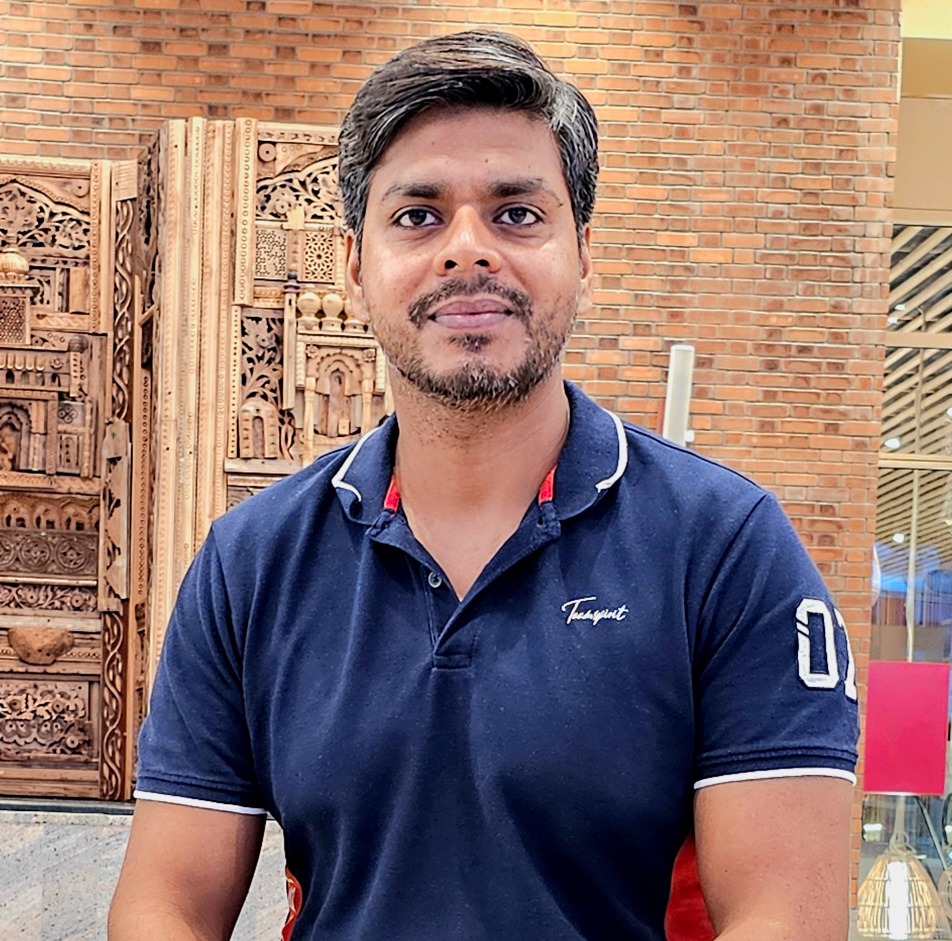
Instructor Image
Instructor

Vishnu Dutt

Network Instructor

Here is know your instructor "I spent 18 years building computer networks at Cisco. But honestly, I am more curious than technical. I read. I listen to podcasts. I follow finance, health, and whatever new trend is quietly changing the world before most people notice. That curiosity is why I teach the way I do. I never start with "how." I always start with "why." Because if you understand why something exists, the how becomes easy. Right now, that curiosity brought me here. To help people understand what AI is really doing to jobs and careers. Before it is too late."

View Profile

Frequently asked Questions


Is this the English only version of the course?

Yes. This page is the English only edition of Wireless Networking from Scratch. If you also want the Hindi version, the Package is the recommended purchase.

What level of English does the course use?

The course uses simple, intermediate English. Every technical term is defined the first time it appears. If you are comfortable reading Cisco documentation, this course will feel easy to follow.


Does the course cover CCNA wireless?

Yes. RF fundamentals, 802.11 frame types, service sets, Cisco wireless architecture and WLC 9800 discovery all map directly to the wireless portion of CCNA. Pair this course with the CCNA path for full readiness.

Does the course cover CCNP Enterprise wireless topics?

Yes. The lessons on CAPWAP, controller architecture and Tags and Profiles form a strong base for CCNP Enterprise wireless. You will not learn every CCNP topic here, but you will be ready to study advanced material without struggle.

What is included in the lab work?

Labs include RF measurements, controller discovery, CAPWAP tunnel behavior and wireless security handshakes. EVE-NG is used for topology work and real access point hardware for wireless behavior.

Do I need to install my own EVE-NG?

No installation is required to follow the course. If you want to practice, you can install EVE-NG on a laptop with 16 GB of RAM. Instructions and community resources are widely available.

What certification does BridgeWhy give?

BridgeWhy gives a Completion Certificate at the end of the course. You may share it with employers and on your professional profiles.

Is the course useful for interviews?

Yes. The final lessons on WLC 9800 discovery, CAPWAP, wireless security and the Tags and Profiles model are the most commonly asked topics in wireless interviews. For deeper interview practice, pair this course with the Interview Preparation Series.

Are the lessons live or recorded?

The core content is available on demand so you can learn at your own pace. Details about live sessions or Q and A support are available on the store page and depend on the plan you choose.

How long is the course?

About 13 hours of video content spread across 14 lessons. Most learners finish in two to three weeks with steady study.

What should I study after this course?

For routing depth, take OSPF from Scratch and then BGP from Scratch. For fabric and data center topics, take VXLAN with BGP-EVPN.

Can I switch to the Hindi version later?

Not from this page alone. This page gives you English only. If you decide later that you want Hindi too, the Package covers both.

Is there a prerequisite course?

No mandatory prerequisite. If you are new to networking, run Switching Fundamentals and Routing Fundamentals alongside this course.

Who is the instructor?

The instructor is Vishnu Dutt, with 19+ years at Cisco. BridgeWhy has served 15000+ learners across 100+ countries.

Where can I learn more about BridgeWhy?

Visit the About Us page for the full story of the platform and the instructor.

Enroll Now