Contact us

Wireshark from Scratch in English | 7 Hours | Packet Analysis Course with Labs | BridgeWhy

Created by Vishnu Dutt

  • English

About the course

This is the English delivery of Wireshark from Scratch on BridgeWhy. 

The full course is 7 hours across five carefully sequenced lessons, and every lesson combines whiteboarding with real packet captures. The goal is straightforward. By the end of the course you can open any packet capture, filter it down to what matters, and describe what is happening on the wire in plain language.


The syllabus below is written out in full so that you can decide before enrolling whether the course fits your goals. Every lesson is built around a specific question. Why does the tool exist. Why does filtering matter more than capturing. Why does TCP need three packets to open a connection. Why do encrypted packets still tell you a story. That is the why first method Vishnu Dutt has used with 15000+ learners across 100+ countries after 19+ years at Cisco.

If you value having both Hindi and English at one price, 

the recommended purchase is the Wireshark from Scratch Package. This English only page exists so that learners searching in English can find the exact curriculum, read every lesson description, and be sure of what they will get. If your team or you personally only need the English delivery, this page is your enrollment point.


The course does not depend on any specific certification track, 

but it maps cleanly into several. If you are preparing for CCNA, this course removes the fog around every protocol you study. If you are a working engineer moving into data center or SD-WAN roles, the lessons on VXLAN and TCP prepare you for what you will see later in VXLAN with BGP-EVPN and SD-WAN from Scratch. If you are interview facing, pair this with the Interview Preparation Series  so that you can not only answer protocol questions but back them up with a packet view.


The only tool needed is Wireshark itself, which is free. There is no cloud lab charge, no vendor certification prerequisite, and no textbook to buy. Everything you need is captured in the videos and the sample captures used in class.

What you will  learn

Lesson 1: Why Behind Wireshark, Encapsulation and ARP

The lesson opens with the founding question. Why does Wireshark exist and what problem does a packet analyzer solve that no other tool can. This framing matters because most learners approach Wireshark as a button clicking exercise. Once you know that Wireshark exists to expose the ground truth of a network, when logs and dashboards and vendor tools disagree with each other, every feature in the tool starts to make sense.

You then move to encapsulation, the process by which data is wrapped in headers as it travels down the stack. You see the Ethernet header, the IP header, the transport header, and the payload as physically nested layers, because Wireshark displays them that way and you need to be able to click through them fluently. The whiteboard sequence maps each layer to the responsibility it carries, so that a source MAC, a source IP, and a source port stop feeling like three copies of the same idea.

ARP is the first protocol you dissect on real packets. It is chosen deliberately, because ARP is small, complete, and its request and reply structure is the simplest example of how any protocol on the network behaves. You watch a broadcast go out, a targeted reply come back, and the ARP cache update. You examine every field, from the hardware type down to the target IP address, and you learn how to spot an ARP problem in a capture, which is a surprisingly common cause of outages.

Lesson 2: Display Filters, Capture Points and DHCP Packet Dissection

The second lesson answers the question every new user asks after their first capture. Why is there so much noise and how do I find the packet I care about. The answer has two parts. First, capture in the right place. Second, filter what you captured. Both are taught here.

The capture point discussion covers where to place Wireshark so that you actually see the traffic you want. That includes SPAN and mirror ports on switches, capturing on a laptop plugged into the same segment, capturing on a server itself, and how each choice changes what you see and what you miss. You leave this section knowing that a capture point decision is a design decision, not an afterthought.

The display filter section teaches the filter language from the ground up. You learn the syntax that lets you write expressions like `ip.addr == 10.1.1.1`, `tcp.port == 443`, and combinations with `and`, `or`, and `not`. You also learn the difference between display filters and capture filters, which use different syntaxes for good reasons that go back to how libpcap was designed.

DHCP is the practice ground for everything you learned. The four packet exchange, Discover, Offer, Request, Acknowledge, is short enough to look at end to end and rich enough to teach you how to read option fields, transaction IDs, and the relay agent information. You will dissect a full DHCP conversation and be able to explain, packet by packet, how a client goes from no IP address to a working configuration.

Lesson 3: Understanding TCP Connection and Coloring Packets in Wireshark

The third lesson focuses on the single most valuable protocol you can learn to read in a capture. TCP carries the majority of the traffic on almost every network you will ever touch. Learning to see a TCP conversation clearly is the difference between a network engineer who guesses and one who knows.

You start with the three way handshake. Instead of memorizing the words SYN, SYN ACK, ACK, you understand why each of those packets is required. Why can this not be done in one packet or two. Why does the sequence number matter and how is the initial value chosen. Why must the acknowledgment number be the next expected byte and not the last received byte. Each of these questions is answered by looking at real packets in Wireshark.

You then learn coloring rules, which are visual shortcuts Wireshark uses to make important packets pop out of a large capture. Retransmissions turn one color. TCP resets turn another. Duplicate acknowledgments turn a third. You will customize a small set of rules that match how you personally scan a capture, which is one of those small productivity moves that pays back every day.

By the end of the lesson you can open a capture of a TCP session between any two hosts, identify the three handshake packets, describe the sequence and acknowledgment logic, and predict what should happen next. That predictive ability is the marker of a learner who understood the protocol rather than memorized it.

Lesson 4: TCP Data Transfer and Buttons in Wireshark

The handshake opens the door. The data transfer is where TCP earns its reputation as a reliable protocol. This lesson takes you through that phase.

You learn how the sender and receiver use sequence numbers to keep track of every byte in flight, how the receiver acknowledges bytes back to the sender, and how the window size controls how much data can be in flight at any moment. When any of these break, TCP has recovery mechanisms, and you will see fast retransmit, duplicate acknowledgments, and selective acknowledgment in action. Each one is a story about how TCP solves a specific network condition, which is why the why first framing lands so well here.

Then the lesson turns to the buttons in Wireshark that most learners never touch. Follow TCP Stream lets you rebuild the full conversation between two hosts and read it as if you were the application. Expert Info surfaces warnings and errors that Wireshark has already noticed for you. Time Reference lets you measure exact intervals between packets. The Statistics menu opens flow graphs, IO graphs, and conversation views that turn a packet list into a story you can present to a colleague. Every one of these is demonstrated on a real capture so that you know exactly when to reach for it.

Lesson 5: Packet Dissection of SSL, VXLAN and Understanding TCP Slowness

The final lesson brings together everything and applies it to three high value scenarios that appear in real jobs.

SSL, and by extension TLS, is where most traffic on the internet lives today. You cannot read the encrypted payload without keys, but the handshake and metadata still reveal a great deal. You dissect the client hello, the server hello, the certificate exchange, and the switch to encrypted communication. You will be able to explain which parts of an SSL session are visible in a capture and which are not, which is a question that comes up in almost every senior interview.

VXLAN is the encapsulation used across modern data centers and inside many SD-WAN solutions. From the outside a VXLAN packet looks like a normal UDP packet on port 4789. Inside it carries a whole other frame. Learners who see this for the first time often think Wireshark is broken. You will dissect a VXLAN packet, understand the outer and inner headers, and be ready for the deeper journey in VXLAN with BGP-EVPN.

The lesson ends with TCP slowness. This is not a hypothetical. Slow application tickets are the daily bread of network support teams, and the answer is almost never on the dashboard. You take a slow TCP session, apply display filters, look at IO graphs, examine window sizes, and identify the true cause. Sometimes it is packet loss. Sometimes it is latency. Sometimes it is the application. Being able to prove which one, from the packets, is the skill that separates a network engineer from a network button pusher.

After finishing this course, TCP From Scratch is the natural deeper study, followed by SD-WAN from Scratch and Network Automation from Scratch depending on your role direction.

Course Curriculum

Know your instructor


Instructor Image
Instructor

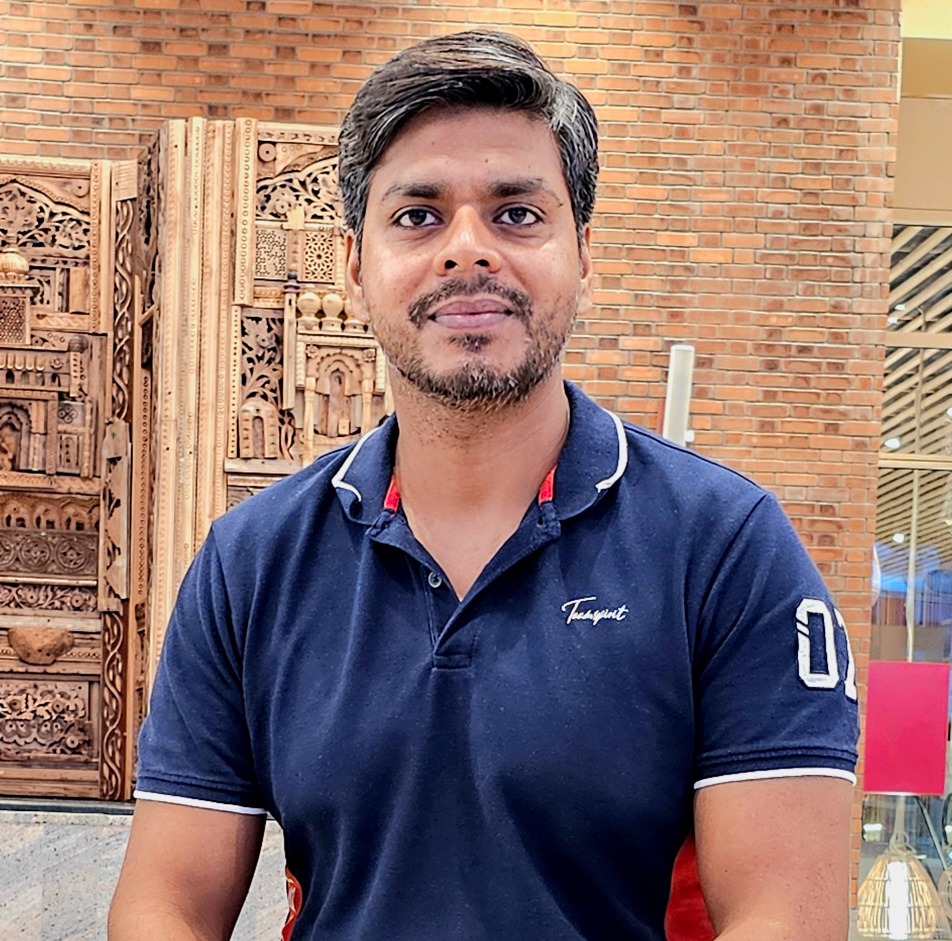
Vishnu Dutt

Network Instructor

Here is know your instructor "I spent 18 years building computer networks at Cisco. But honestly, I am more curious than technical. I read. I listen to podcasts. I follow finance, health, and whatever new trend is quietly changing the world before most people notice. That curiosity is why I teach the way I do. I never start with "how." I always start with "why." Because if you understand why something exists, the how becomes easy. Right now, that curiosity brought me here. To help people understand what AI is really doing to jobs and careers. Before it is too late."

View Profile

Frequently asked Questions


Is this course only English or does it include Hindi?

This page delivers the English version only. If you want Hindi as well, buy the Wireshark from Scratch Package, which bundles both languages at one price.

What is the exact syllabus of the English version?

Five lessons across 7 hours. Lesson one covers encapsulation and ARP. Lesson two covers display filters, capture points, and DHCP. Lesson three covers the TCP connection and coloring rules. Lesson four covers TCP data transfer and the Wireshark button set. Lesson five covers SSL, VXLAN, and TCP slowness troubleshooting.


Do I need to be fluent in English to follow the course?

No. Clear intermediate English is enough. The instructor speaks at a measured pace, uses simple sentences, and defines every technical term the first time it appears. Learners across 100+ countries have followed this style comfortably.

What version of Wireshark should I install?

Any modern stable release works with this course. The lessons focus on features that have existed for many versions, so you are not tied to a specific release. Download the latest stable version from the official Wireshark site.

Do I need admin rights on my machine to run Wireshark?

For live capture, yes, because packet capture drivers need to be loaded. If you cannot install on a work laptop, you can still open sample capture files and follow every lesson using those.

What prerequisites should I complete first?

None are required. If you are new to networking overall, running CCNA for the Know Nothing Learner or Routing Fundamentals alongside makes the ARP and TCP sections click faster.

Are practice capture files provided?

Sample captures are used throughout the lessons so that you can replay the exact traffic Vishnu is analyzing. You can also capture your own on any home or office network and apply what you learn.

How is this different from the Wireshark course on YouTube?

Free videos usually show button sequences without explaining why each field matters. This course leads with the why, then shows the how. That is what makes it possible to handle captures you have never seen before, which is what the job requires.

Can I use this course to prepare for CCNA?

Yes. Every protocol in the CCNA blueprint has a packet level story. Being able to see that story in Wireshark is one of the fastest ways to remember it. Combine this course with Switching Fundamentals and Routing Fundamentals for full coverage.

Can I use this course to prepare for interviews?

Yes. Interviewers frequently ask packet level questions on TCP, DHCP, ARP, and SSL. The Interview Preparation Series pairs well with this course for a structured interview readiness path.

What comes after this course in the BridgeWhy path?

TCP From Scratch goes deeper into every TCP field. VXLAN with BGP-EVPN uses your packet skills for data center work. SD-WAN from Scratch uses them for enterprise WAN work.

Are wireless captures covered in this course?

The scope focuses on wired protocols that most learners see every day. Wireless captures need a monitor mode adapter and are a specialized topic. If you need that path, please reach out through the About Us page.

How much time should I set aside per week?

Most learners complete the 7 hours across two to three weeks with practice time between lessons. Practice matters more than raw watching time. Capture your own traffic between lessons and try to explain it.

Do I get a certificate at the end?

Yes. On completion of the English version you receive a BridgeWhy completion certificate that you can share on LinkedIn or add to your resume.

How long do I get access to the course?

Access is controlled by the plan you choose. See 3 Month Access, 1 Year Access, and Lifetime Access for the options.

What if I want both the Hindi and English versions later?

The best value is to buy the Wireshark from Scratch Package from the start. If you have already purchased the English only version and want to add Hindi, contact BridgeWhy through the store page.

Enroll Now